
|
|
|
|||||||
| Computers & Information Technologies « Everything related to computers and internet. » |
 |
|
|
Share | Thread Tools | Search this Thread |
 02-14-2009
|
#1 |
|
Registered Member

Last Online: 10-14-2022
Join Date: Dec 2006
Posts: 10,467
Thanks: 14,136
Thanked 4,244 Times in 2,547 Posts
Groans: 186
Groaned at 198 Times in 120 Posts
|
 Widescreen gaming
Man, was I ever stoked when I brought home my 21″ 16:10 LCD monitor. Unfortunately, that feeling didn’t last as long as I had hoped. It seems there’s several issues which hamper widescreen gaming that aren’t exactly common knowledge. Even after doing hours of research into pros and cons of having a widescreen LCD, I was met with many challenges and frustrating roadblocks that prevented me from jumping into the games I had been playing on my old 19″ CRT.
With the growing popularity of widescreen monitors and LCDs quickly taking over the monitor market share, I thought it would be a good idea to share my experiences and hopefully cut down the hours you might spend troubleshooting should you pick up a widescreen LCD. First thing’s first. There’s some terminology you need to know and understand… Resolution You’ve no doubt heard the word “resolution” and understand what it is in terms of a computer monitor. For those that don’t, it’s the size that your screen is rendered at in pixels. Standard resolutions for non-widescreen monitors are 800×600, 1024×768, 1280×960, etc. The first number is the width in pixels, the second being height. With a CRT monitor, you can use pretty much any resolution and it will look fine. An LCD is different in that respect. It has a “native resolution” which is the physical amount of pixels it has to display. If you use a resolution outside of the native resolution, the monitor has to scale the image to fit the new size, which results in a blurry or fuzzy image. Definitely not optimal. For best results, always use the native resolution. This can be a bit of a problem, unless you have some heavy duty hardware as the bigger the screen size, the bigger the resolution. The native resolution for my monitor is 1680×1050 at which size I’m not able to run many games with the settings I would like. Typically, I have been running games at 1280×800. 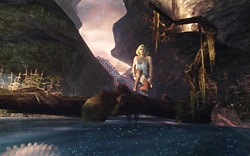 You can probably imagine what happens when you run a resolution that is not the same aspect ratio as your monitor. Stretching. And it’s as ugly as it sounds. The image is literally stretched to fit the width of your monitor, producing less than desirable results. Unfortunately, you might have to endure this if a game doesn’t support widescreen resolutions and there’s no work around for it. Or even worse, you might not be able to play the game at all. I found that with my monitor, if the game wasn’t at a 16:10 resolution or in some cases even if there was stretching, the image becomes distorted. Little coloured boxes appear all over the place - as seen in the screenshot to the right. You can probably imagine what happens when you run a resolution that is not the same aspect ratio as your monitor. Stretching. And it’s as ugly as it sounds. The image is literally stretched to fit the width of your monitor, producing less than desirable results. Unfortunately, you might have to endure this if a game doesn’t support widescreen resolutions and there’s no work around for it. Or even worse, you might not be able to play the game at all. I found that with my monitor, if the game wasn’t at a 16:10 resolution or in some cases even if there was stretching, the image becomes distorted. Little coloured boxes appear all over the place - as seen in the screenshot to the right.Field of View (FOV) Just as, if not more important as resolution is the field of view. FOV determines exactly how much we can actually see at the sides. A smaller FOV results in a tunnel like vision, where as a larger FOV ads more to your peripheral vision - how much you can see at the sides. If the FOV is set too large, you will get a fisheye effect where you can actually see to the left and right without having to look around. I’ve found that games that do support widescreen resolutions don’t adjust the FOV. So your image isn’t stretched, but you don’t see any more than you normally would on the sides and often enough, whatever object is in front of you (your gun, car, etc.) appears closer than it normally would or you can’t see quite as much of it. Aspect Ratio The aspect ratio is the size of the horizontal dimension relative to the vertical. A standard CRT monitor or non-widescreen LCD is 4:3. Widescreen LCDs are 16:10 and widescreen televisions (LCD, plasma, just about any HDTV) are 16:9. VGA vs DVI If your monitor is digital, you have one more variable to worry about. While using the DVI connection results in the brightest, sharpest and most vibrant image, you will once again run into problems if you don’t have the most high end hardware. Using the DVI connection means you have to run everything at the native resolution. You don’t have the option of running at lower resolutions and if you try, your game most likely won’t even start. My monitor has 5 inputs (DVI, VGA, Component, S-Video and Composite) and my videocard has dual DVI outs. I’m currently using both outputs, one with a VGA adapter which I use when playing games. The other a digital-to-digital connection which is my standard viewing mode. It’s rather unfortunate that I can’t run games using the DVI connection, but some of the more demanding games won’t run at anything more than low or medium settings at that resolution on my current rig. The Worst Part By far the most aggravating part of widescreen gaming is the lack of support from game developers. There are a handful of games that support 16:10 resolutions out of the box, and even less that really support it. I have come across a couple games that give the option to use 16:10 resolutions, but merely stretch the image to the specified size. You have to ask yourself why they bother at all? Luckily for us, there is a pretty large and active community of gamers with widescreen monitors that are adamant to getting the experience they deserve. Enter Widescreen Gaming Forum. Much more than merely a forum, they have an extensive FAQ, user reviews of widescreen monitors and a master games list with solutions for getting your favourite games to run at 16:10 resolutions. I was fortunate to find this early on and it’s answered many questions I had an presented solutions for just about every game I own. Results Enough of the technical mumbo-jumbo. Let’s see this shit in action! Here’s a few comparisons of games running at 1024×768 and 1280×800 with explanations of how the widescreen resolution was achieved and if it’s true 16:10. Click on the images to see a larger comparison. __________________________________________________ ______ So what do you think??? im getting myself a wide 20" LCD SCREEN  AWESOMELY great for movies , but for gaming ?? i really dont know .
__________________
problems of performance appraisal is that it sucks to memorize them |

|

|
|
02-14-2009
|
#2 |
|
Super Moderator

Last Online: 02-16-2022
Join Date: May 2006
Posts: 5,580
Thanks: 1,888
Thanked 2,653 Times in 1,593 Posts
Groans: 55
Groaned at 35 Times in 32 Posts
|
Man, don't read anymore, because i'm telling u that widescreen gaming is wayyys better than 4:3 gaming.
__________________
click on 'Groan' to switch to my left testicle. |
|
|
|
| The Following 2 Users Say Thank You to Kingroudy For This Useful Post: | Adam (02-14-2009), SysTaMatIcS (02-15-2009) |
|
02-15-2009
|
#3 |
|

Last Online: 05-30-2013
Join Date: Jan 2008
Posts: 1,788
Thanks: 10,018
Thanked 1,100 Times in 651 Posts
Groans: 1
Groaned at 6 Times in 6 Posts
|
Ma bedda tnen ye7kou fiya...
This thread is like: Hal yatoura, bifoush 2el zet 2eza 7ettayne ma3 2el may? |
|
|
|
| The Following User Says Thank You to Google For This Useful Post: | SysTaMatIcS (02-15-2009) |
|
02-15-2009
|
#4 |
|
Beyond the Code

Last Online: 06-15-2014
Join Date: Sep 2008
Posts: 2,993
Thanks: 2,214
Thanked 3,426 Times in 1,499 Posts
Groans: 57
Groaned at 69 Times in 52 Posts
|
Widescreen, you don't have to think twice about it.
Just go here and see the difference yourself. ps: check the surround gaming screens in the main page 
|
|
|
|
| The Following User Says Thank You to Neoxter For This Useful Post: | SysTaMatIcS (02-15-2009) |
|
02-15-2009
|
#5 |
|
Registered Member
Last Online: 10-14-2022
Join Date: Dec 2006
Posts: 10,467
Thanks: 14,136
Thanked 4,244 Times in 2,547 Posts
Groans: 186
Groaned at 198 Times in 120 Posts
|
wat about the dvi connector issue?? is it essential ?
__________________
problems of performance appraisal is that it sucks to memorize them |
|
|
|
|
02-15-2009
|
#6 |
|
Beyond the Code
Last Online: 06-15-2014
Join Date: Sep 2008
Posts: 2,993
Thanks: 2,214
Thanked 3,426 Times in 1,499 Posts
Groans: 57
Groaned at 69 Times in 52 Posts
|
every new vga has a dvi port and every new modern has a dvi cable so dont worry w eza ma fe there is cable be7awel min dvi lal normal connector i dont know sho esmo :P
|
|
|
|
|
02-15-2009
|
#7 |
|
Beyond the Code
Last Online: 06-15-2014
Join Date: Sep 2008
Posts: 2,993
Thanks: 2,214
Thanked 3,426 Times in 1,499 Posts
Groans: 57
Groaned at 69 Times in 52 Posts
|
..and every new screen * sorry typing error..
|
|
|
|
|
02-17-2009
|
#8 |
|
Registered Member
Last Online: 10-14-2022
Join Date: Dec 2006
Posts: 10,467
Thanks: 14,136
Thanked 4,244 Times in 2,547 Posts
Groans: 186
Groaned at 198 Times in 120 Posts
|
LG 20" Wide - 8000\1 contrast ratio - 5ms response time 184$
Benq 21.5" wid - 10000\1 contrast ratio - 5ms response time 189$ what do u think??better and bigger screen , only 5 $ more??
__________________
problems of performance appraisal is that it sucks to memorize them |
|
|
|
|
02-17-2009
|
#9 | |
|
Last Online: 05-30-2013
Join Date: Jan 2008
Posts: 1,788
Thanks: 10,018
Thanked 1,100 Times in 651 Posts
Groans: 1
Groaned at 6 Times in 6 Posts
|
Quote:
Because Soha water bottle cost more than Tannourin water bottle! 
|
|
|
|
|
|
02-21-2009
|
#10 |
|
Registered Member

Last Online: 07-16-2012
Join Date: Jan 2007
Posts: 131
Thanks: 1
Thanked 26 Times in 17 Posts
Groans: 0
Groaned at 0 Times in 0 Posts
|
no la hay wala haydik,
Forget about LG, u wnt something god, dont get a 5ms screen try to get the samsung or the HP 22" they come with 2ms response time way better for games bass they come at higher prices, cheap LCDs, u et the 20"screen from Acer for about 160-170doudou depending on dealer bass bel marra, with time ull get a small window arround the edges that keeps expanding and get lower brightness..
__________________
Chief of Staff |
|
|
|
|
|
| Tags |
| gaming, widescreen |
| Currently Active Users Viewing This Thread: 1 (0 members and 1 guests) | |
|
|


